

User management
You can consult the list of users in the"Users > Users" section of the administration panel.
On this page, you have access to all the accounts registered on the site, even if they have been banned or deleted.
For each account you can perform the following actions:
- Modify the account (to change the password, the login or the avatar)
- Delete the account
Delete an account
If you delete an account, you will be offered two options:
- Simple deletion
- Complete deletion
With simple deletion, some data will be retained (e.g. forum posts).
With complete deletion, all user data will be deleted.
In both cases the user will no longer be able to log in and the account cannot be restored.
Group management
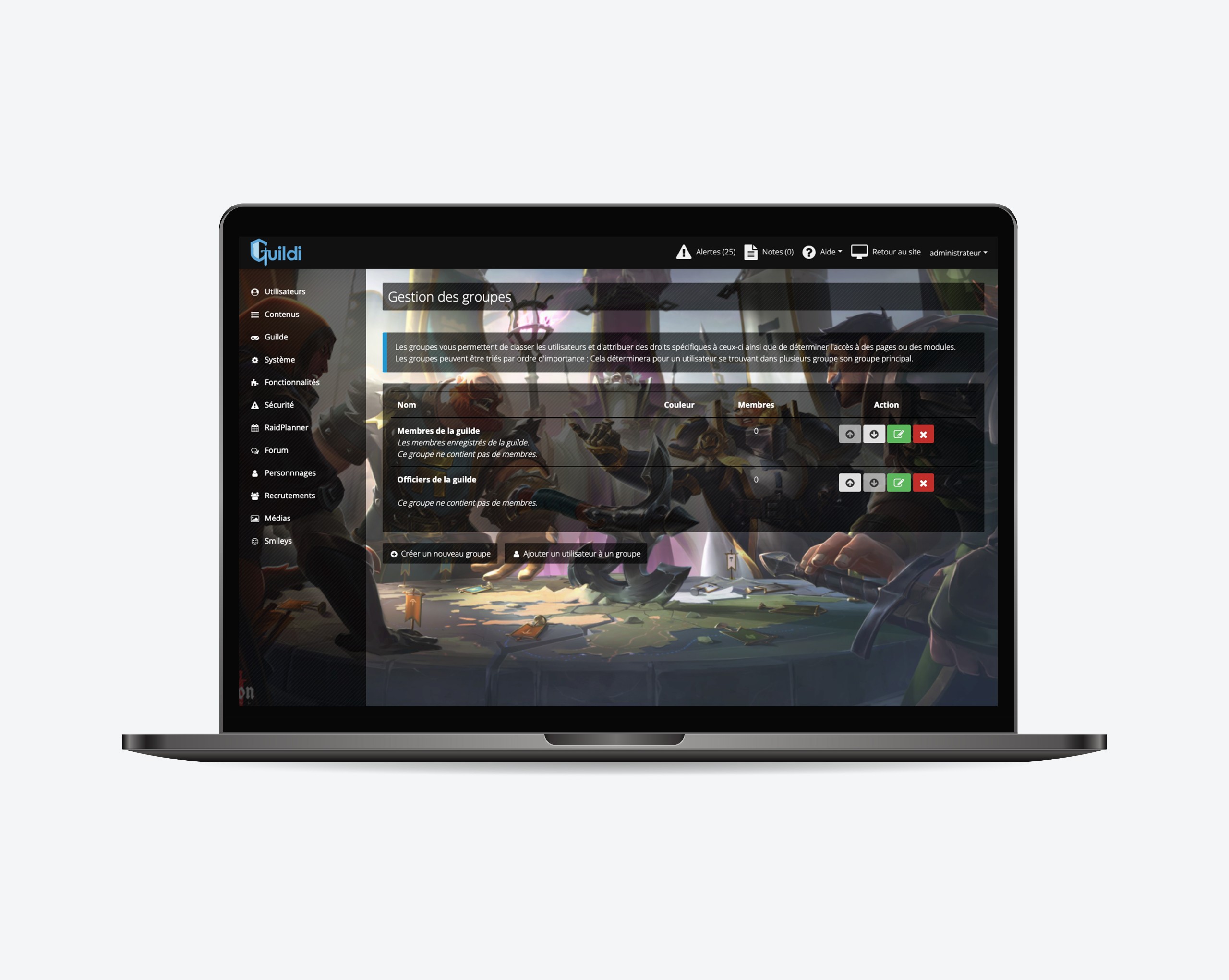
User groups allow you to associate the same rights and access to several users at the same time.
For example, you can create an "Officers" group and assign access rights to certain forums and to the validation of recruitments.
You can view and manage user groups in the administration panel under"Users > Groups".
Via this page you can also create new groups or add users to these groups.

Rights management
Guildi has a rights management system for groups and users that allows you to delegate part of the administration of your site.
With the rights management you can thus allow users to create pages, to access certain functionalities of the administration panel while not giving access to the whole management of your site.
To manage rights, go to"Security > Rights management".
On this page you can create new rights systems or use existing ones.
WARNING: Be extremely careful when assigning rights via this page to users or groups.
Indeed, in case of bad manipulation you could give someone the possibility to delete your account or even to delete the site!